
File Organization and Naming Standards
When using SolidWorks PDM, it is important to consider file organization and assembly creation as to minimize confusion and increase clarity for all users. The structure below should be utilized for all of PDM, regardless of subsystem.
Organization
Note: "SolarGators" PDM access is stored in a local file of your choice during installation, that is the starting point for accessing PDM as described here and here.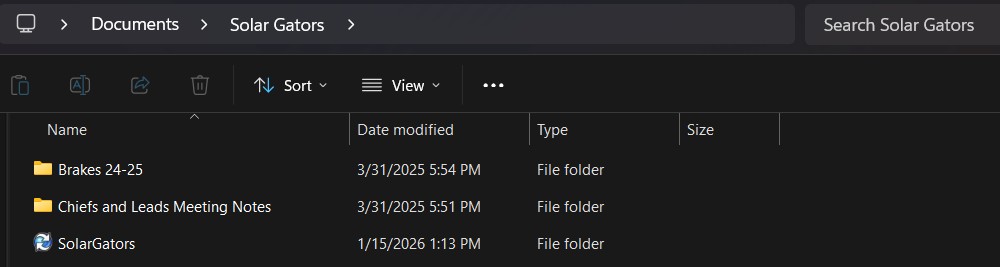
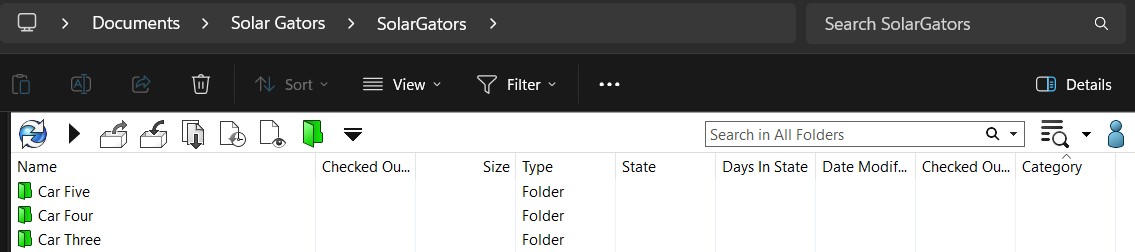
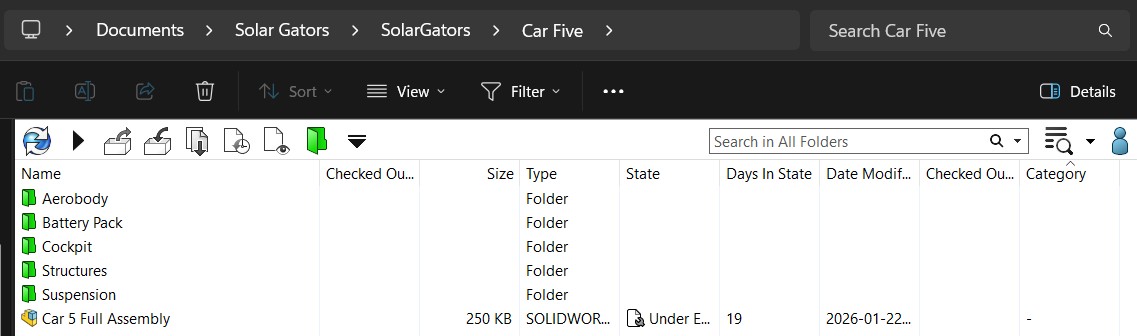
- Folders: Aerobody, Battery Pack, Cockpit, Structures, Suspension
- Assemblies: Car #### Full Assembly
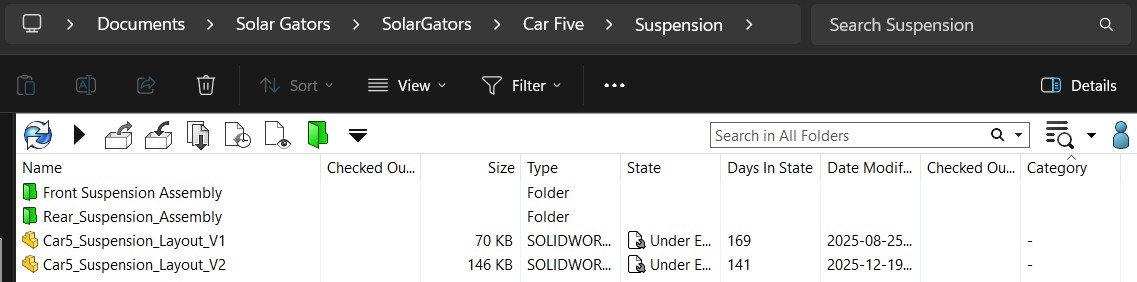
3. Any "Subsystem" is then organized, as necessary, into folders, assemblies, and parts:
- "Full Assembly"
- "Sub Assembly"
- "Geometry"
Naming
-
Custom Designed Components
-
-
File
Name:Name:[Part Names]_[V#]Part_Name_V#
-
-
-
-
Example:Example: Trailing_Arm_V1
-
-
- Assembly Folders
-
-
File Name: Name_Assembly
-
-
-
-
Example: Rear_Suspension_Assembly
-
-
-
DrawingOff-The-ShelfFilesComponents
-
-
File
Name:Name:[Part Name] - [System Name] DWGPart_Name_Part#
-
-
-
-
Example:Example: Shoulder_Bolt_91259A455DRIVER LINK-HINGEDWG
-
-

Example Folder Structure
Auxiliary
HINGE
HINGEASSY
GROUND LINK-HINGE
DRIVER LINK-HINGE
HINGE ASSY
HINGEOTS
SomeBolt101224
Some Nut 163549
HINGEINSTL
HINGEDWGs
GROUND LINK-HINGEDWG
DRIVER LINK-HINGEDWG

These guidelines are effective January 2025 in order to ensure the Auxiliary Team can ensure consistency and efficiency when managing files on SolidWorks PDM. If you have any questions orask requireTrevor clarification,:) please reach out to the team lead. ]