
File Organization and Naming Standards
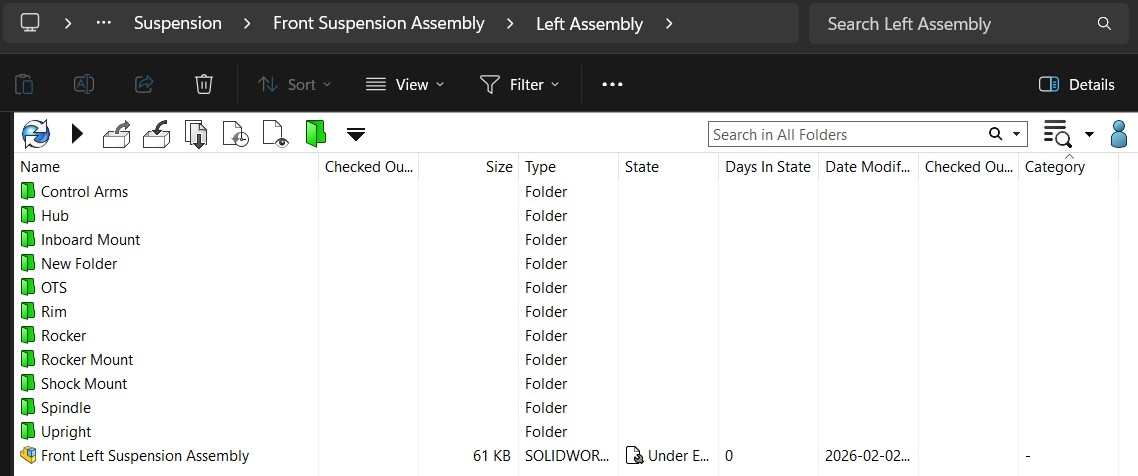
When using SolidWorks PDM, it is important to consider file organization and assembly creation as to minimize confusion and increase clarity for all users. The structure below should be utilized for all of PDM, regardless of subsystem.
Organization
Note: "SolarGators" PDM access is stored in a local file of your choice during installation, that is the starting point for accessing PDM as described here and here.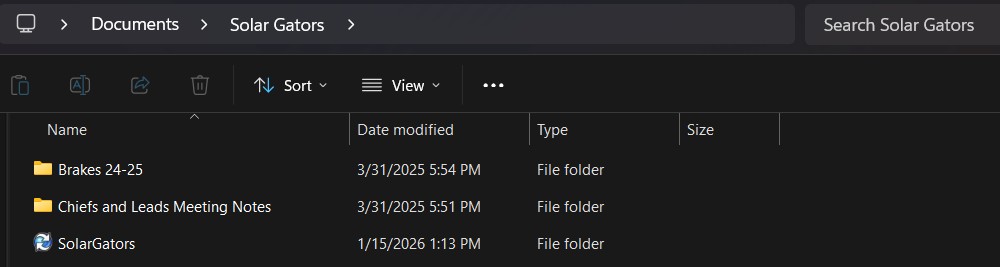
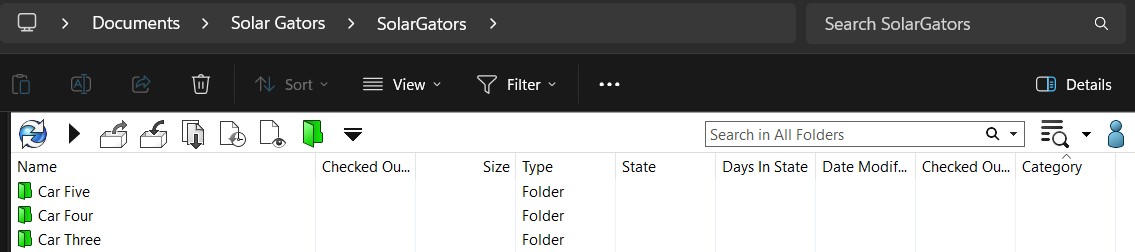
Folders:FOLDERS: Aerobody, Battery Pack, Cockpit, Structures, Suspension
Assemblies:ASSEMBLIES: Car #### Full Assembly
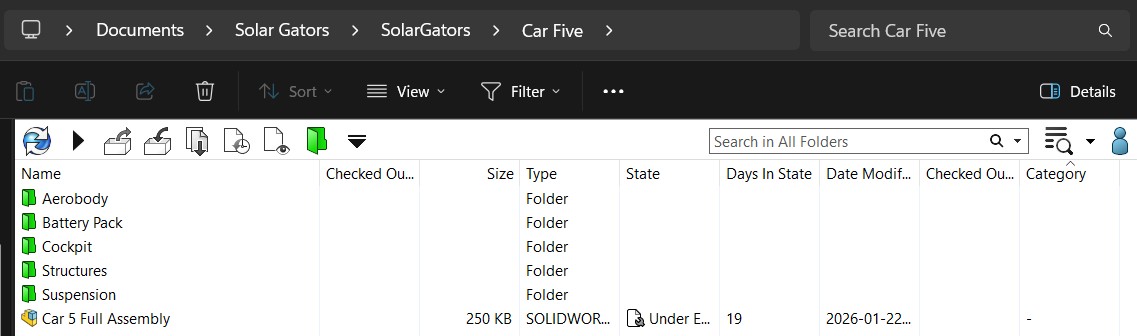
3. Any "Subsystem" is then organized, as necessary, into folders,FOLDERS, assemblies,ASSEMBLIES, and parts:GEOMETRY:
- "Full Assembly"
- "Sub Assembly"
- "Geometry"
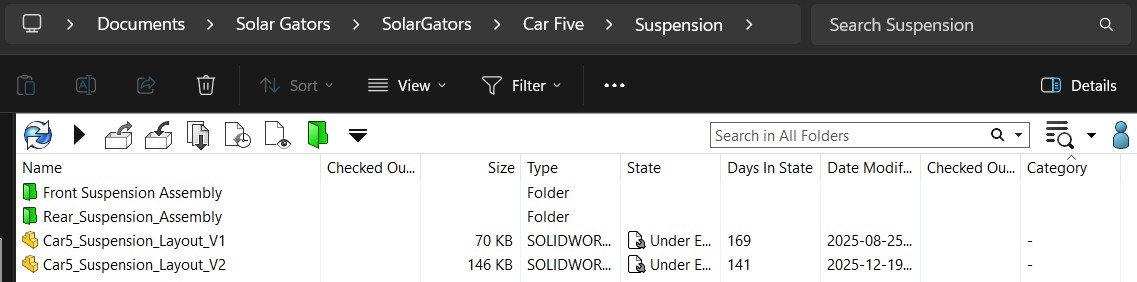
4. Sub-system-sub-assemblies are then organized into FOLDERS:
- "Custom Component"
- "OTS"
-
-
- Note: all major custom components should have their own folder, where each version of their parts can be housed alone. All OTS components go into their own folder.
-
Naming
-
Custom Designed Components
-
-
File Name: Part_Name_V#
-
-
-
-
Example: Trailing_Arm_V1
-
-
- Assembly Folders
-
-
File Name: Name_Assembly
-
-
-
-
Example: Rear_Suspension_Assembly
-
-
-
Off-The-Shelf Components
-
-
File Name: Part_Name_Part#
-
-
-
-
Example: Shoulder_Bolt_91259A455
-
-
[ If you have any questions ask Trevor :) ]